Not your average paste bin.
CodeThis is a fast, minimal paste and code-sharing service for developers — 100+ languages with syntax highlighting, rich MDC components for docs-grade pastes, and an MCP server so AI assistants like Claude can create pastes directly from chat. Free tier includes the REST API + MCP; Pro at $9/mo adds password-protected pastes, unlimited documents, and premium image export.
Everything you need
Rich Markdown with Custom Components
Go beyond plain text. Use MDC syntax to embed alerts, steps, code groups, and more — all rendered beautifully.
# Welcome

::alert{type="info"}
Beautiful MDC components.
::

::steps
1. Write markdown
2. Embed components
3. Ship it
::
100+ Language Syntax Highlighting
From JavaScript to Rust, Python to YAML — every language gets full syntax highlighting powered by CodeMirror.
const greet = (name) => {
  return `Hello, ${name}!`
}
Organize with Folders
Group your pastes into folders and collections. Keep your snippets organized the way your brain works.
📁 work
  ├─ api-notes.md
  └─ deploy.sh
📁 snippets
  └─ regex.txt
Share Links or Invite Users
Copy a public link or invite specific people by email or username. Invitees land on the doc the moment they sign up — no friction, no account-seat math.
Password Protection (Pro)
Add a password to sensitive pastes. Only people with the password can view the content. Available on Pro.
API & MCP Server
Integrate CodeThis into your workflow with our REST API or use the MCP server with AI assistants.
# REST API
POST /api/pastes
{ "content": "...", "language": "js" }

# MCP Server
claude → codethis.dev/mcp
Instant Screenshots
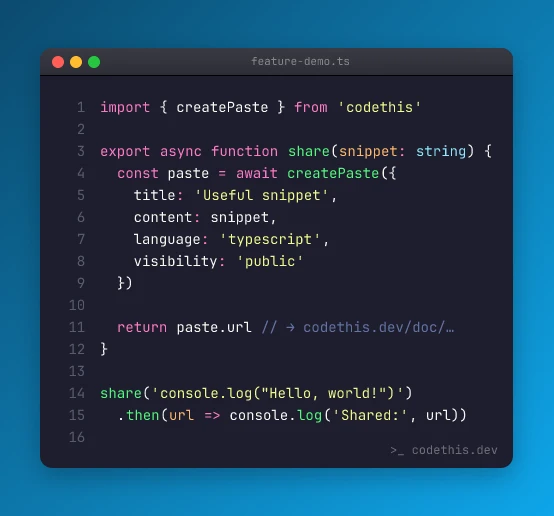
Turn any paste into a share-ready screenshot with macOS/Windows/terminal window chromes, gradient backdrops, and 8 syntax themes. Export as PNG or WebP. Premium gradients on Pro.
MDC makes docs beautiful
Project Setup Guide
Prerequisites: Node.js 18+ and pnpm installed
- Clone the repository
- Install dependencies with
pnpm install - Copy
.env.exampleto.envand fill in your values - Run
pnpm devto start the development server
pnpm install
pnpm dev
npm install
npm run dev
yarn install
yarn dev
Three steps to sharing
Paste
Drop in your code or write markdown with custom components. Pick your language, add a title — done.
Share
Copy your unique link and send it anywhere. Viewers see a beautifully rendered version, no account needed.
Done
That's it. Your paste lives at a shareable URL. Edit it later, add it to a folder, or protect it with a password on Pro.
Simple, honest pricing
- Unlimited pastes (temporary)
- 100+ language highlighting
- MDC component support
- Pastes expire after 7 days
- Everything in Anonymous
- Up to 100 pastes, any duration (forever available)
- Public / Unlisted / Private visibility
- Folders + public profile
- REST API + MCP server (2 keys)
- Everything in Free
- Password-protected pastes
- Unlimited documents · 5 MB per paste
- Premium image export (3× retina, WebP, custom colors)
- API: 20 keys + higher rate limits
- Collections (coming soon)
- Email support
Popular languages
Each language has a dedicated landing page with examples, use cases, and highlighting notes.
How CodeThis compares
Honest head-to-heads with the other tools developers reach for — feature matrices, clear trade-offs.
vs
GitHub Gist
Git-backed snippets under your GitHub identity.
If you need Git-grade version history on a snippet, Gist wins. For everything else — rich markdown & MDC, anonymous sharing, password protection, real expiration controls, and an MCP integration your AI assistant can actually use — CodeThis is built for it.
vs
Pastebin.com
The original pastebin, in ~2008 form.
Pastebin is what you used in 2008. CodeThis is what a pastebin should look like in 2026 — clean editor, rich markdown, MDC components, modern OG previews, and an API that isn't walled behind a "Pro" upsell on every page.
vs
Carbon.now.sh
Turn code into a beautiful PNG.
Carbon turns code into a picture. CodeThis turns code into a URL — and also a picture, right inside the Image tab on any paste. Two outputs, one tool.